Christopher Engelhardt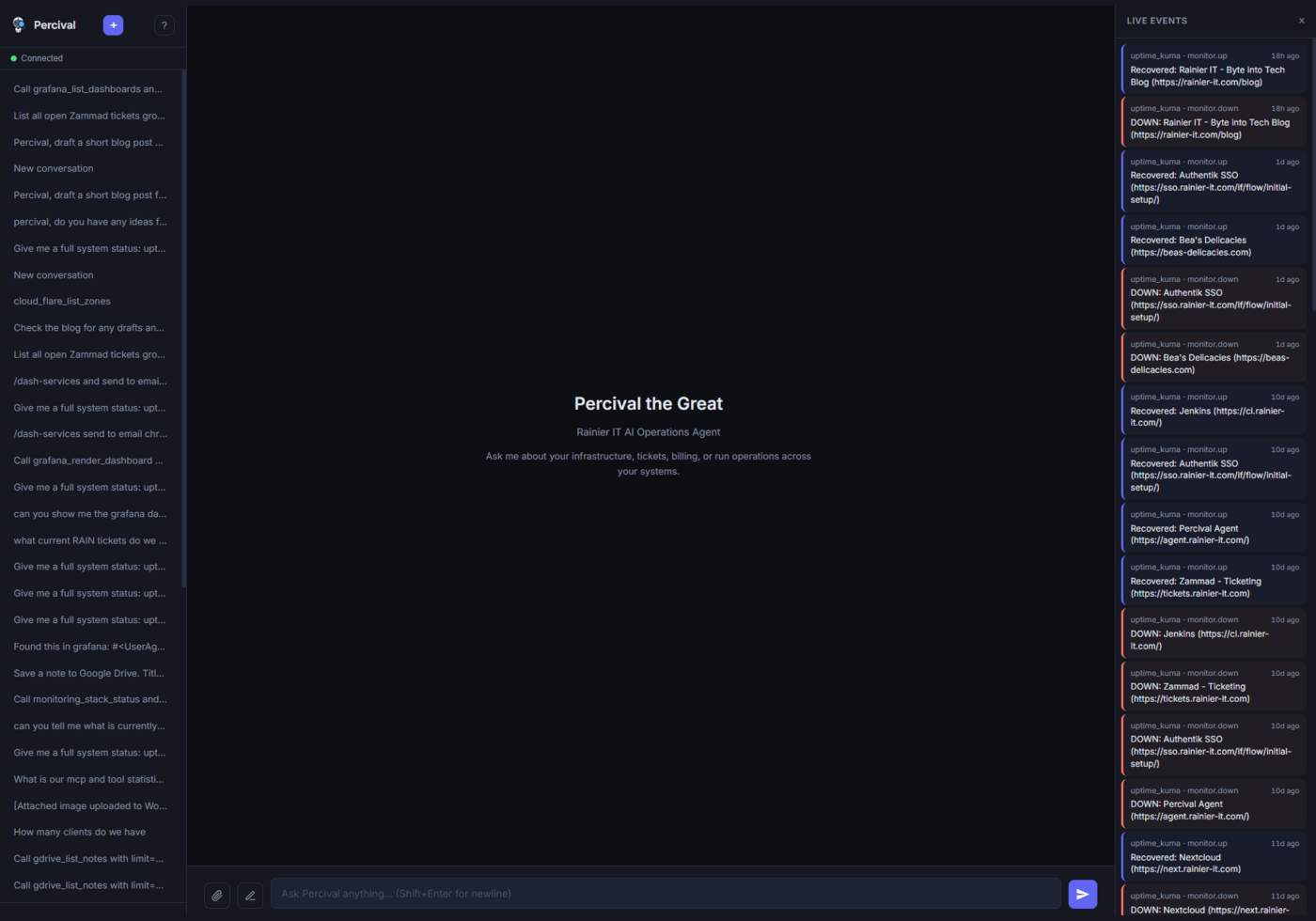
Most “AI features” you’ll see an MSP ship in 2026 are a chat-bubble around someone else’s hosted LLM. They look nice in a demo. They work great for “what’s the weather in Tacoma.” They’re useless the moment a customer asks “can you restart the docker container on the front-desk laptop” or “which of my backups failed last night.”
Percival — the agent we run at agent.rainier-it.com — is the opposite of that. It’s a self-hosted AI operator built around the Model Context Protocol, wired into 28 separate tool servers, and tied to every system that runs Rainier IT. It opens tickets, restarts containers, checks backups, runs SSH commands on allowlisted hosts, drafts incident summaries to Discord, and writes its weekly digest itself. It costs about $40 a month to operate. And it does it all on a 4-core LXC with 4 GB of RAM.
This post is the architectural tour I wish someone had written for me before I started building it.
🤖 Inside Percival
Percival is named after the Arthurian knight who went looking for the Grail and came back with answers. Ours just goes looking for “which of these 47 things is on fire right now.” Same vibe.
🏗️ The stack at a glance
The whole thing is one Python FastAPI app, one Postgres database, and a small herd of subprocess MCP servers. No vector databases other than pgvector. No LangChain. No agent framework. Vanilla JS frontend with no build pipeline.
| Layer | What |
|---|---|
| Frontend | Vanilla JS + WebSocket chat UI |
| Backend | FastAPI + asyncio + Anthropic SDK |
| Tool runtime | 28 MCP servers, stdio-spawned per session |
| LLM proxy | LiteLLM on odus:4000 → Anthropic + Ollama |
| Local LLM | Ollama on wodin GPU host (GTX 1660 SUPER) |
| Memory | pgvector in Postgres, 768-dim, nomic-embed-text |
| Background workers | 7 asyncio tasks under one scheduler |
Total host: one Proxmox LXC, 4 GB RAM, 40 GB disk, Ubuntu 24.04. The GPU box that does embeddings is a separate machine that idles most of the day.
🔌 The 28 MCP Servers (213 Tools)
This is the part of the architecture that earns its keep. Every external system Percival talks to gets its own MCP server: a small Python process that exposes typed tools over stdio. The agent spawns whichever it needs per session, and tears them down when the session ends.
Here’s the full fleet, grouped by function. Tool counts are real — I just grepped them out of the source.
Infrastructure & ops (7 servers, 80 tools)
| Server | Tools | Purpose |
|---|---|---|
proxmox | 24 | VMs, LXCs, nodes, snapshots, create/destroy/start/stop |
pbs | 16 | Proxmox Backup Server — datastores, snapshots, verify/prune/GC, restore-list |
docker | 9 | Fleet container ops across 6 hosts (allowlisted, SSH key injection) |
nginx | 9 | Site configs, cert status, reload on spark |
monitoring | 8 | Prometheus, Loki, Grafana composite reads |
logs | 5 | Tail nginx/docker/syslog via SSH |
ssh-exec | 3 | Raw shell on allowlisted hosts (approval-gated) |
This is the bulk of the day-to-day load. The proxmox and pbs servers alone are why I built Percival in the first place — every other monitoring dashboard knows something about backups, but only PBS knows whether the snapshot from last night actually verified.
RMM, security, and patching (4 servers, 38 tools)
| Server | Tools | Purpose |
|---|---|---|
huntress | 14 | EDR agents, incidents, malware, isolation actions |
action1 | 10 | Patch compliance, endpoint inventory, scripts (OAuth2) |
ansible | 8 | Run playbooks against inventory groups |
trmm | 6 | TacticalRMM agents, alerts, commands |
Huntress + Action1 + TacticalRMM is the same stack we deploy at every client. Having all three in one chat window — “what’s currently isolated, what’s behind on patches, and what just paged” — is genuinely surprising the first time you use it.
Identity, comms, and tickets (6 servers, 33 tools)
| Server | Tools | Purpose |
|---|---|---|
nextcloud | 5 | WebDAV search + OCS user management |
authentik | 6 | Users, groups, sessions, audit events |
email | 4 | Gmail IMAP/SMTP |
discord | 4 | Channels, search, post, attachments |
zammad | 6 | Ticket list, comment, state changes |
onboarding | 6 | Multi-service client provisioning |
The onboarding server is special — it’s a composite MCP that uses 5 others (Authentik, Email, Nextcloud, Invoice Ninja, TRMM) to spin up a new MSP client end-to-end. One tool call from chat, one workflow logged to Postgres, one branded welcome email at the end.
Business apps & content (5 servers, 36 tools)
| Server | Tools | Purpose |
|---|---|---|
wordpress | 9 | Posts, pages, comments, media (used to publish this post, actually) |
gdrive | 9 | Drive file ops (OAuth2) |
wikijs | 6 | Dual endpoint — internal wiki + client KB (GraphQL) |
invoiceninja | 5 | Invoices and clients |
cloudflare | 8 | Zones, DNS, cache purge, firewall rules |
DevOps & observability (4 servers, 18 tools)
| Server | Tools | Purpose |
|---|---|---|
jenkins | 6 | Jobs, builds, queue |
grafana | 7 | Dashboards, datasources, alerts |
uptime-kuma | 4 | Monitor status (via SQLite — Kuma’s REST is socket.io-only) |
litellm-stats | 2 | LLM spend telemetry |
The Uptime Kuma integration is an honest hack. Kuma’s “API” is a socket.io endpoint that won’t talk to anything that isn’t its own dashboard. We SSH into the Kuma container, query its SQLite directly, and call it a day. It works.
Plumbing (2 servers, 8 tools)
| Server | Tools | Purpose |
|---|---|---|
memory | 9 | Semantic search (pgvector + Ollama embed) over long-term memory |
net | 5 | ping, nslookup, iperf, traceroute |
Total: 28 MCP servers, 213 tools. Plus a shared/ directory of base classes (not a server, just a library) that handles things like API-token auth and rate-limiting.
🧩 What an MCP server actually looks like
Every server follows the same shape. Here’s an abridged version of the structure (real example, not pseudocode):
# percival/mcp-servers/zammad/server.py
import asyncio, os
from mcp.server import Server
from mcp.server.stdio import stdio_server
import mcp.types as types

server = Server("zammad")

@server.list_tools()
async def list_tools() -> list[types.Tool]:
    return [
        types.Tool(
            name="list_tickets",
            description="List Zammad tickets, optionally filtered by state or group.",
            inputSchema={
                "type": "object",
                "properties": {
                    "state":  {"type": "string", "enum": ["open", "pending", "closed"]},
                    "group":  {"type": "string"},
                    "limit":  {"type": "integer", "default": 25},
                },
            },
        ),
        # ...5 more tools...
    ]

@server.call_tool()
async def call_tool(name: str, arguments: dict) -> list[types.TextContent]:
    if name == "list_tickets":
        result = await zammad_get("/api/v1/tickets/search", params=arguments)
        return [types.TextContent(type="text", text=json.dumps(result, indent=2))]
    raise ValueError(f"Unknown tool: {name}")

async def main():
    async with stdio_server() as (r, w):
        await server.run(r, w, server.create_initialization_options())

if __name__ == "__main__":
asyncio.run(main())The agent talks to all 28 of these via JSON-RPC over stdio. Each server is its own subprocess, its own venv, its own credentials. If one of them crashes — say, the Zammad container goes down — none of the other 27 notice. That fault-isolation is the single biggest reason MCP turned out to be a better abstraction than a monolithic “tools” module.
⏰ The 7 Background Workers
The MCP servers handle the interactive path — chat, tool use, the back-and-forth. Everything autonomous runs in 7 background workers under one asyncio scheduler. They all share the same FastAPI process, the same Postgres pool, and the same MCP client.
| Worker | Cadence | What it does |
|---|---|---|
heartbeat | every 60s | Writes a liveness marker so I can tell the agent process is alive from the outside. Logs only — no side effects. |
trmm_poller | every 5min | Pulls /alerts/ from TacticalRMM, dedupes against the events table, writes new ones with severity mapping (error→critical, warning→warning). |
uptime_poller | every 2min | Queries Uptime Kuma’s SQLite via SSH; tracks monitor state in SystemState; writes monitor-down events. |
discord_notifier | every 30s | Watches events for new critical/warning rows, posts a Discord webhook embed each. Tracks a high-water mark so restarts don’t double-send. |
incident_responder | every 45s | On critical events, gathers the ±30-minute context window, queries Kuma + Zammad + recent fixes via MCP, calls Haiku for a remediation summary, posts a rich Discord embed with a deep-link button to the chat UI (“Resolve via Percival”). |
haiku_monitor | every 1hr | Polls LiteLLM’s spend API for haiku-last-resort invocations. If the counter went up, primary LLMs are down and Percival fell back. Posts an alert. Critically: this worker does not use the LLM — it’s the canary that watches for LLM failure, so it can’t depend on LLM. |
weekly_digest | Mon 09:00 PT | Queries Kuma + Zammad + Invoice Ninja + nginx certs + docker fleet via MCP, hands the JSON to Haiku for executive-summary formatting, posts a Monday-morning Discord embed. |
The incident_responder is my favorite. When something goes critical at 2 AM, you get a Discord push that already has:
- The alert (from TRMM, Kuma, or Defender)
- Three to five related events from the same ±30 min window
- The current monitor status
- A Haiku-drafted 2-paragraph “here’s what we think happened and here’s the next move”
- A button: Resolve via Percival that opens the chat UI pre-loaded with the incident context
If I’m asleep, the on-call human gets the same embed plus the button. If I’m awake, I open the chat and it’s already loaded the context — I’m one prompt away from “OK, restart that container.” That’s the agent paying for itself.
🧠 The Model Story
This is where most “AI agent” architectures get expensive, slow, or both. Here’s how we keep all three in check.
Primary chat: Anthropic Haiku via LiteLLM
# backend/app/agent/core.py
from openai import AsyncOpenAI

client = AsyncOpenAI(
    base_url=settings.llm_base_url,     # (LiteLLM)
    api_key=settings.anthropic_api_key, # legacy name — doubles as the LiteLLM master key
)

MODEL_HEAVY = settings.model_heavy      # "claude-haiku"      (in production)
MODEL_LIGHT = settings.model_light      # "local-fast"        (qwen2.5:7b)

async def chat_turn(messages, tools):
    response = await client.chat.completions.create(
        model=MODEL_HEAVY,
        messages=messages,
        tools=tools,
        max_tokens=4096,
    )
return response.choices[0].messageEvery interactive turn hits Claude Haiku by default. It’s fast enough to keep the chat UI feeling instant, smart enough to drive 200+ tool calls reliably, and cheap enough that the average user-session costs cents. We retired Opus from the chat path in April — at our usage shape (lots of small tool calls, not long-form reasoning) it was paying 20× for noticeably-but-not-dramatically better output.
LiteLLM proxy on odus:4000
Everything LLM-shaped goes through one LiteLLM instance on odus. It does four jobs:
1. OpenAI-compatible API in front of every model (Anthropic, Ollama, Groq) so the agent code is one shape. 2. Per-key budgets and rate-limits — Percival’s key has its own monthly cap separate from the chatbot’s. 3. Spend telemetry — the litellm-stats MCP server and the haiku_monitor worker both read from this. 4. Routing fallbacks — if Anthropic returns 5xx, LiteLLM auto-routes to a haiku-last-resort model that lives on the same Anthropic endpoint but with a different alias, so spend telemetry can prove fallback occurred.
Local fallback: Ollama on wodin
# Ubuntu 24.04 VM, GTX 1660 SUPER passthrough
$ curl <dedicated VM > | jq '.models[].name'
"qwen2.5:7b"           # MODEL_LIGHT for low-stakes drafts
"llama3.2:3b"          # fast token generation, low quality
"nomic-embed-text" # 768-dim embeddings for memoryThe honest story on local LLMs in 2026: a GTX 1660 SUPER is not enough hardware to replace Anthropic on the chat path. We tried. qwen2.5:7b is shockingly good for its size, but it’s noticeably worse at long-context tool-use loops, and the token-per-second on a 6 GB card is half what you need for a conversational feel.
Where local LLMs do earn their keep:
- Embeddings for the memory store (
nomic-embed-text, hits the GPU for milliseconds, free) - Background summarization when latency doesn’t matter
- The emergency fallback path if Anthropic is down for an extended period
We’ll revisit primary-on-local when the GPU upgrade happens. The architecture’s already there.
Memory: pgvector + 768-dim embeddings
# backend/app/agent/memory.py
async def embed(text: str) -> list[float] | None:
    try:
        resp = await client.embeddings.create(
            model="local-embed",       # → wodin nomic-embed-text
            input=text,
        )
        return resp.data[0].embedding
    except Exception:
return None # silent fail — chat continues without RAGEvery long-term memory the agent writes (project state, infra notes, user preferences) gets embedded and stored as a Postgres row with a vector(768) column. On the next chat turn, the top-5 cosine-similar memories get prepended to the context. If embeddings fail — Ollama down, wodin off — chat continues without RAG. Memory is a nice-to-have, not a load-bearing component.
Prompt caching (the cheap trick that matters)
The tool-list system prompt for 28 servers is roughly 25k tokens. Sending that on every turn at Anthropic’s input rate would be a real problem. Two cache_control markers fix it:
# Tool definitions block — gets cached
tools_msg = [
    *all_tools,
    {**all_tools[-1], "cache_control": {"type": "ephemeral"}},
]

# System prompt (Percival persona) — also cached
system = [
    {"type": "text", "text": persona_prompt,
     "cache_control": {"type": "ephemeral"}},
]The cache lasts 5 minutes after each hit. Subsequent turns within that window pay 10% of the input rate for those tokens. Real-world hit rate on a busy session is north of 90%. This single change roughly cut Percival’s Anthropic bill in half.
🔐 Approval gates — three levels
Letting an LLM call rm -rf / on production is bad. Not letting it call anything on production makes it useless. The middle path is a classifier on every tool invocation:
# backend/app/agent/approval.py
class ApprovalLevel(Enum):
    AUTO     = "auto"     # safe reads, allowlisted SSH on a tame host
    CONFIRM  = "confirm"  # writes, restarts, anything user-visible
    DENIED   = "denied"   # destructive ops on critical systems

def classify(tool_name: str, args: dict) -> ApprovalLevel:
    if tool_name in READ_ONLY_TOOLS:
        return ApprovalLevel.AUTO
    if tool_name == "ssh_exec" and args["host"] in CRITICAL_HOSTS:
        if any(k in args["command"] for k in DESTRUCTIVE_KEYWORDS):
            return ApprovalLevel.DENIED
        return ApprovalLevel.CONFIRM
    if tool_name in WRITE_TOOLS:
        return ApprovalLevel.CONFIRM
return ApprovalLevel.AUTOWhen a tool returns CONFIRM, the WebSocket pipeline pauses the agent and streams a typed message to the UI:
await ws.send_json({
    "type": "approval_required",
    "tool": tool_name,
    "input": tool_args,
    "id": invocation_id,
})
approval = await ws.receive_json()  # blocks until user clicks Approve or Deny
if approval["decision"] != "approve":
return ToolResult(error="User denied execution")In practice the UI renders a card with the tool name, the arguments, and two buttons. The agent literally cannot proceed until I tap one. DENIED short-circuits before the tool ever runs and writes an audit log entry — that’s the layer that stops the LLM from getting cute with docker rm -f on the production stack.
📡 WebSocket streaming, not chunked HTTP
The frontend is one long-lived WebSocket per session. Every event the agent emits is a typed JSON message:
ws.onmessage = (event) => {
    const msg = JSON.parse(event.data);
    switch (msg.type) {
        case "token":             appendToCurrentMessage(msg.text); break;
        case "tool_start":        renderToolCard(msg.tool, msg.input); break;
        case "tool_result":       attachResultToToolCard(msg.id, msg.output); break;
        case "approval_required": showApprovalCard(msg); break;
        case "done":              markTurnComplete(); break;
    }
};No SSE, no long-poll, no chunked transfer. One bidirectional pipe. The approval flow falls out of this naturally — the same channel that streams tokens also streams approval requests and consumes the user’s decision. The whole thing is roughly 300 lines of vanilla JavaScript on the frontend.
📊 Five things I learned building this
1. MCP is the right abstraction. Before MCP, every tool was a function in a giant tools.py and adding one was a deploy. Now every tool is a small server I can develop, test, and restart independently. When the Zammad container went down last month, the 14 other tools the agent was using at the time didn’t even notice. That kind of fault isolation is hard to get any other way.
2. Haiku is criminally underrated as an agent driver. It’s not as smart as Sonnet or Opus. It does not need to be. For an agent loop where the LLM’s job is “look at this tool output and pick the next thing to call,” Haiku gets it right 95+% of the time at 1/20th the cost of Opus and 1/4 the latency of Sonnet. Reserve Sonnet/Opus for the things that actually need them.
3. Prompt caching pays the bills. Two lines of cache_control cut our LLM bill roughly in half. If your agent has a stable, long system prompt — which every tool-use agent does — and you’re not caching, you are setting money on fire.
4. Local LLMs aren’t ready to be primary on a $300 GPU. They’re great at embeddings, fine for background summarization, and perfectly acceptable as the emergency fallback when the cloud LLM is down. They are not, in May 2026, a drop-in replacement for the cloud on the interactive chat path. They will be soon, but they aren’t yet. Plan the architecture for the day they are, but don’t pretend you’ve already crossed that line.
**5. The interesting part of an agent is the workers, not the chat.** The chat is the demo. The chat is what gets the screenshots. But the things that actually save time at 2 AM are the autonomous loops: the incident-responder that hands me a pre-summarized Discord embed, the weekly digest that nobody had to write, the spend monitor that flags fallback events before the bill arrives. If you’re building an agent, budget half your engineering for the workers and the alerting around them. They’re where the leverage is.
🛣️ What’s next
A few things on the roadmap that I think will be technically interesting to write up:
- Multi-tenant Percival for clients — same agent, scoped MCP servers per client, OIDC-gated chat sessions
- Embeddings on a GPU that can actually run a 70B model — when the 5060 Ti lands, we revisit the local-primary path
- MCP server marketplace — sharing the 28 servers under MIT so other MSPs can wire them up to their own stacks
If you’re an MSP, IT director, or just a self-hosting nerd who wants to compare notes — drop me a line at [email protected]. I love this stuff.
Thanks, and may your tool calls always succeed on the first try.