Christopher Engelhardt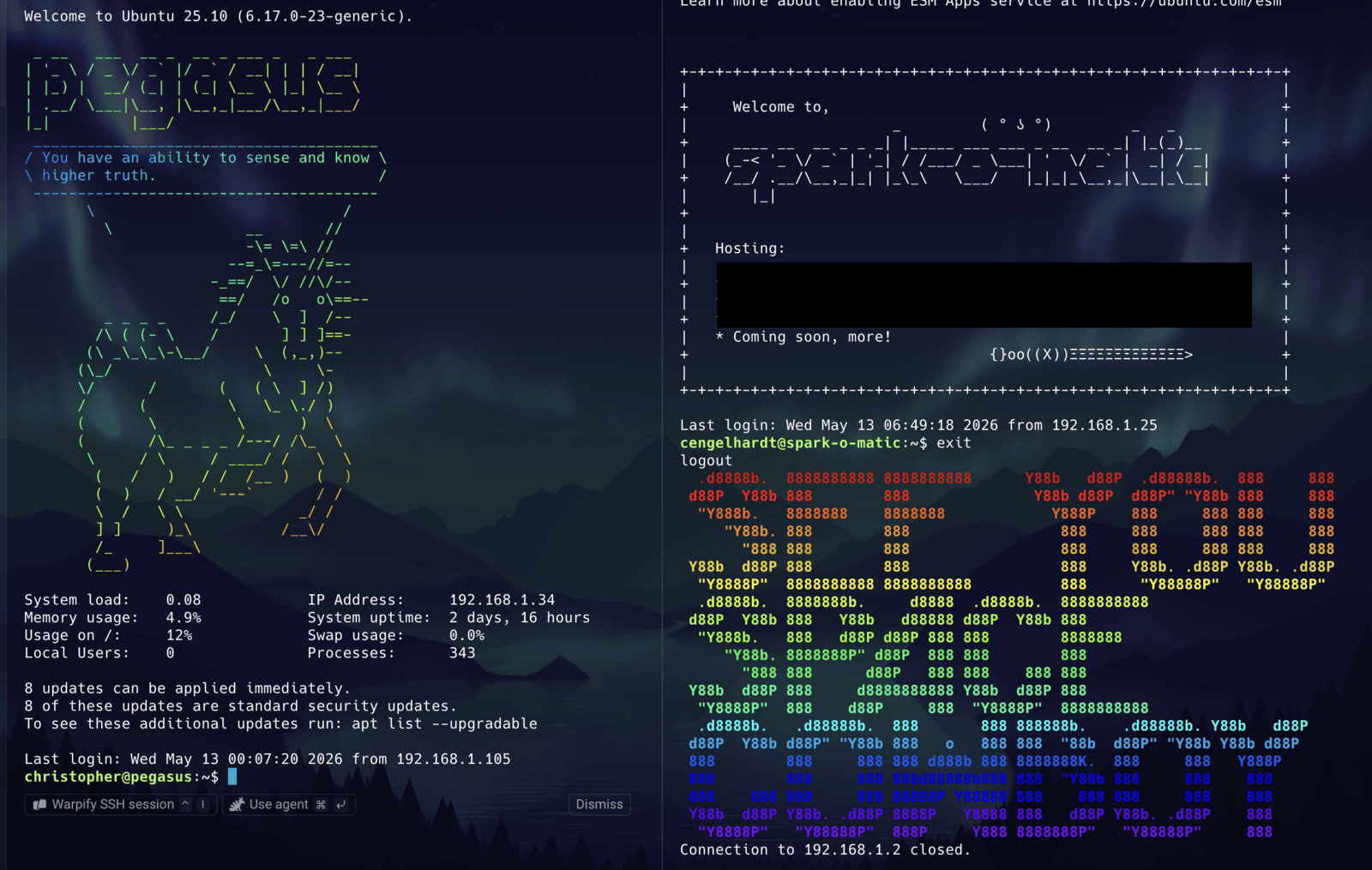
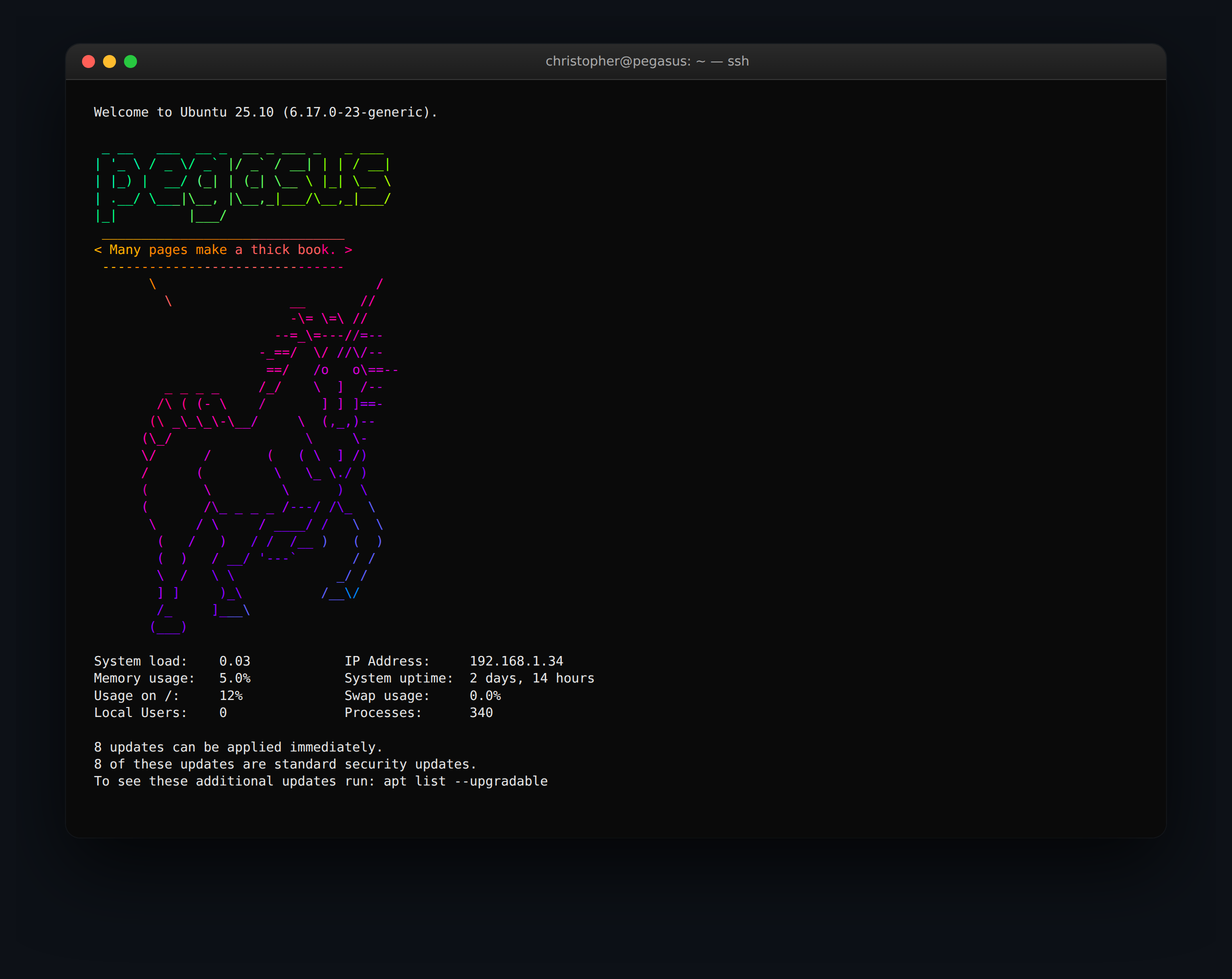
Every time I SSH into one of my Ubuntu boxes I’m greeted with a chunky ASCII hostname in rainbow gradient, a unicorn quoting Lewis Carroll, and a four-column block of system stats. It’s the MOTD — the Message of the Day — and it’s the most overlooked piece of polish on a Linux server.
I think there are two camps on this. One half of the internet calls dynamic MOTDs frivolous. The other half quietly enjoys them every single time, because they accomplish four real things at once:
- Confirmation you’re on the right box. A figlet banner of the hostname in 80-point letters is a very effective way to avoid running
rm -rfon the wrong server. - A 1-second health check. Load, RAM, disk, swap, uptime, IP. If anything looks weird, you see it before you even type a command.
- A small daily joy. Fortune cookies and unicorns make automation feel like yours and not Canonical’s.
- A status-page-for-one. Updates pending, reboot required, ESM enrollment — Ubuntu already wires up the surface, you just have to keep it (and remove the Pro upsells).
Here’s exactly what’s running on my Ansible control node pegasus, and how to put the same setup on any Ubuntu, Debian, Mint, or Pop!_OS box in about ten minutes.
🧩 How Ubuntu’s MOTD Actually Works
This is the part nobody told me when I first inherited a server. The classic /etc/motd is a static text file — most distros barely use it anymore. The dynamic stuff comes from a directory of small executable scripts:
/etc/update-motd.d/
├── 00-header                ← banner line + (here be dragons)
├── 10-help-text             ← Ubuntu Pro/Landscape ads (gut these)
├── 10-sysinfo               ← optional: system stats block
├── 50-motd-news             ← Canonical's news feed
├── 85-fwupd                 ← firmware-update notices
├── 90-footer                ← whatever /etc/motd.tail says
├── 90-updates-available
├── 91-contract-ua-esm-status
├── 91-release-upgrade
├── 92-unattended-upgrades
├── 95-hwe-eol
├── 98-fsck-at-reboot
└── 98-reboot-requiredpam_motd runs each script in name order on login, concatenates the output, and dumps it into /run/motd.dynamic, which is what you actually see. Every script is just an executable file — shell, Python, Perl, whatever — that prints to stdout. If you want to change the MOTD, you don’t edit /etc/motd. You edit (or add) a script in /etc/update-motd.d/.
That’s it. That’s the whole abstraction.
🧭 The Recipe (Six Steps, About Ten Minutes)
Below is the entire build, top to bottom. Run each step on the server you want to reskin. Steps 1–4 are required for the banner-and-stats look in the screenshot above; step 5 is an optional “remove Canonical’s ads” pass; step 6 is how to see what you built without logging out.
Step 1 — Install the four packages
Everything we need ships in the standard Ubuntu and Debian repositories — no PPAs, no third-party scripts, no curl | bash.
sudo apt update
sudo apt install -y figlet cowsay fortune-mod fortunes-min lolcatHere’s what each tool actually does:
figlet— Converts ordinary text into giant ASCII letters. Usefiglet -f <font>to pick a face;figlistshows what’s installed (andapt install figlet-fontsadds dozens more).cowsay— Stuffs whatever you pipe into it into a speech bubble coming out of a cow’s mouth. The “cow” can be replaced with any.cowfile —cowsay -llists what’s available (dragons, tux, ghostbusters, stegosaurus, and yes, unicorns).fortune-mod— A 30-year-old Unix curiosity that prints a random pithy quote. Thefortunes-minpackage gives you the basic set;fortunesadds a much larger catalogue.lolcat— Pipes any text through a rainbow gradient using 24-bit ANSI escape codes. Looks ridiculous on its own; looks fantastic stacking onto figlet and cowsay.
Optional extras you might enjoy:
toilet— like figlet but with colorful filters baked in.boxes— wraps text in ASCII borders (parchment, dragon, scroll, etc.).neofetch/fastfetch— the “system info with distro logo” tool you see in screenshots of Arch users’ terminals.sl— when you typelswrong, a steam locomotive crosses your screen. Not for the MOTD; just for joy.
Step 2 — Grab a unicorn (or any character you like)
Pegasus uses a unicorn cowfile. You can use any .cow file you want here — browse cowsay -l for what came in the box, or grab one off the upstream gallery at github.com/piuccio/cowsay/tree/master/cows (unicorns, otters, sharks, R2-D2, Pikachu, Death Star … the list keeps going).
Drop the unicorn into /etc/ so the MOTD script can find it:
sudo curl -fsSL https://raw.githubusercontent.com/piuccio/cowsay/master/cows/unicorn.cow \
-o /etc/cowsay-unicorn.cowVerify it before we wire it up:
echo "Hi" | cowsay -f /etc/cowsay-unicorn.cowIf you ever want to write your own character, .cow files are tiny Perl snippets — default.cow is the simplest example to crib from:
$the_cow = <<"EOC";
        $thoughts   ^__^
         $thoughts  ($eyes)\_______
            (__)\       )\/\
             $tongue ||----w |
                ||     ||
EOCThe $thoughts, $eyes, and $tongue variables let cowsay -e and cowsay -T swap the eyes and tongue at runtime.
Step 3 — Replace the header script
This is the file that does the headline work — /etc/update-motd.d/00-header. Overwrite it (or rename the original to 00-header.bak first if you’re nervous):
sudo tee /etc/update-motd.d/00-header > /dev/null <<'EOF'
#!/bin/sh
[ -r /etc/lsb-release ] && . /etc/lsb-release

if [ -z "$DISTRIB_DESCRIPTION" ] && [ -x /usr/bin/lsb_release ]; then
    DISTRIB_DESCRIPTION=$(lsb_release -s -d)
fi

printf "Welcome to %s (%s).\n" "$DISTRIB_DESCRIPTION" "$(uname -r)"

# Hostname in rainbow figlet
/usr/bin/env figlet "$(hostname)" | /usr/bin/env lolcat -f

# A unicorn delivering a fortune cookie
/usr/bin/env fortune -s | /usr/bin/env cowsay -f /etc/cowsay-unicorn.cow | /usr/bin/env lolcat -f
EOF
sudo chmod +x /etc/update-motd.d/00-headerTwo small but important things going on in there:
- The
-fflag onlolcatforces colour output even when stdout isn’t a TTY. That matters here, becausepam_motdruns these scripts non-interactively. Without-f, lolcat detects “not a terminal” and prints plain text. fortune -sreturns only short fortunes. Long ones blow past the cowsay bubble and look wrong.
Step 4 — Add the system-info block
The four-column stats block on Pegasus comes from a second script: /etc/update-motd.d/10-sysinfo. It was originally written by Nick Charlton and has been battle-hardened across most Ubuntu installs since 2013.
sudo tee /etc/update-motd.d/10-sysinfo > /dev/null <<'EOF'
#!/bin/bash
printf "\n"
load=`awk '{print $1}' /proc/loadavg`
root_usage=`df -h / | awk '/\// {print $(NF-1)}'`
memory_usage=`awk '/^MemTotal:/ {total=$2} /^MemFree:/ {free=$2} /^Buffers:/ {buffers=$2} /^Cached:/ {cached=$2} END { printf("%3.1f%%", (total-(free+buffers+cached))/total*100)}' /proc/meminfo`
swap_usage=`awk '/^SwapTotal:/ { total=$2 } /^SwapFree:/ { free=$2} END { printf("%3.1f%%", (total-free)/total*100 )}' /proc/meminfo`
users=`users | wc -w`
time=`awk '{uptime=$1} END {days = int(uptime/86400); hours = int((uptime-(days*86400))/3600); printf("%d days, %d hours", days, hours)}' /proc/uptime`
processes=`/bin/ls -d /proc/[0-9]* | wc -l`
ip=`echo $(ip addr | grep -Eo 'inet (addr:)?([0-9]*\.){3}[0-9]*' | grep -Eo '([0-9]*\.){3}[0-9]*' | grep -v '127.0.0.1') | awk '{ print $1 }'`

printf "System load:\t%s\t\tIP Address:\t%s\n"   "$load"         "$ip"
printf "Memory usage:\t%s\t\tSystem uptime:\t%s\n" "$memory_usage" "$time"
printf "Usage on /:\t%s\t\tSwap usage:\t%s\n"    "$root_usage"   "$swap_usage"
printf "Local Users:\t%s\t\tProcesses:\t%s\n"    "$users"        "$processes"
EOF
sudo chmod +x /etc/update-motd.d/10-sysinfoIt reads everything from /proc/loadavg, /proc/meminfo, and /proc/uptime directly, so it doesn’t fork top or vmstat and adds essentially zero login latency. On a server with no swap, the swap line will read -nan% — harmless, but you can patch the awk to print "n/a" if it bothers you.
Step 5 — (Optional) Mute the Ubuntu Pro spam
By default, Ubuntu’s 10-help-text script pushes three lines about Landscape, Ubuntu Pro, and documentation every time you log in. Once you’ve read them, they’re noise. Comment the body out:
sudo sed -i 's/^printf/#printf/' /etc/update-motd.d/10-help-textThis leaves the script in place (so the next apt upgrade won’t restore the noise) but produces no output. You’ll get a .dpkg-dist sibling file the next time the package upgrades — that’s apt being polite about your modification; you can diff it against your version when you’re curious.
While you’re at it, you can disable the daily news feed entirely:
sudo sed -i 's/^ENABLED=1/ENABLED=0/' /etc/default/motd-newsStep 6 — See it without logging out
pam_motd regenerates the cached MOTD on every interactive login, so the easiest test is just to exit and SSH back in. But there are two faster paths if you’re tuning a script and want a tight feedback loop:
- Render once, right now:
sudo run-parts /etc/update-motd.d/ - Force a cache refresh:
sudo /usr/sbin/update-motd(Debian) or simply log out and back in.
The run-parts command executes scripts in the exact same order pam_motd will, with the same environment, so what you see on the terminal is what your next SSH session will see.
That’s the whole recipe. Six steps, one cup of coffee, one unicorn.
🧠 A Few Things I Wish I’d Known
- The order matters. Files are run in
LC_COLLATEorder, which means10-fooruns after00-barbut before90-baz. Two-digit prefixes are the convention. - The scripts need to be executable.
chmod +xor nothing renders. A surprising number of MOTD-tutorial pastes forget to mention this. - Don’t
echocolours directly. Use the tools’ own colour flags (lolcat -f,toilet -F gay). Raw ANSI codes mixed into your script work, but they’re a pain to maintain across distros. - Bash history of the previous admin is gold. If you inherit a server and want to know how the MOTD got built,
grep -E 'figlet|cowsay|update-motd' ~/.bash_historyusually tells the whole story. - Cowfiles are Perl. They look like text art but they’re interpreted as Perl — escape your backslashes and dollar-signs carefully, or use single-quoted heredocs.
- The figlet font catalogue is huge. Default is
standard. Tryfiglet -f slant,figlet -f banner3-D,figlet -f starwars, or runfiglistfor the local list.
🎒 Going Further
Once the basic header is in, the next experiments are obvious:
- Add a weather line from
wttr.in—curl -s 'wttr.in/Orting?format=3'is a one-liner that printsOrting: 🌦 +52°Fon every login. - Hook in TacticalRMM agent status with a one-line systemd check.
- Show how many Docker containers are running with
docker ps -q | wc -l. - Print a today’s-tasks line by reading from a
~/today.txtfile you keep on the box. - Roll the whole thing into Ansible. We use a
motdrole that drops both scripts and the cowfile onto every host in our inventory, so the entire fleet welcomes you the same way.
The MOTD is one of those tiny pieces of craft that costs nothing and pays you back every time you log in. If your servers feel like cold infrastructure, give them a face. Mine has a unicorn, and I’ve never regretted it.
Christopher Engelhardt runs Rainier IT in Orting, WA. We do managed IT, SOC, and back-end infrastructure for small businesses across Pierce and King counties. If your servers stare back at you with no personality, we can fix that. (We can also fix the actual servers.)